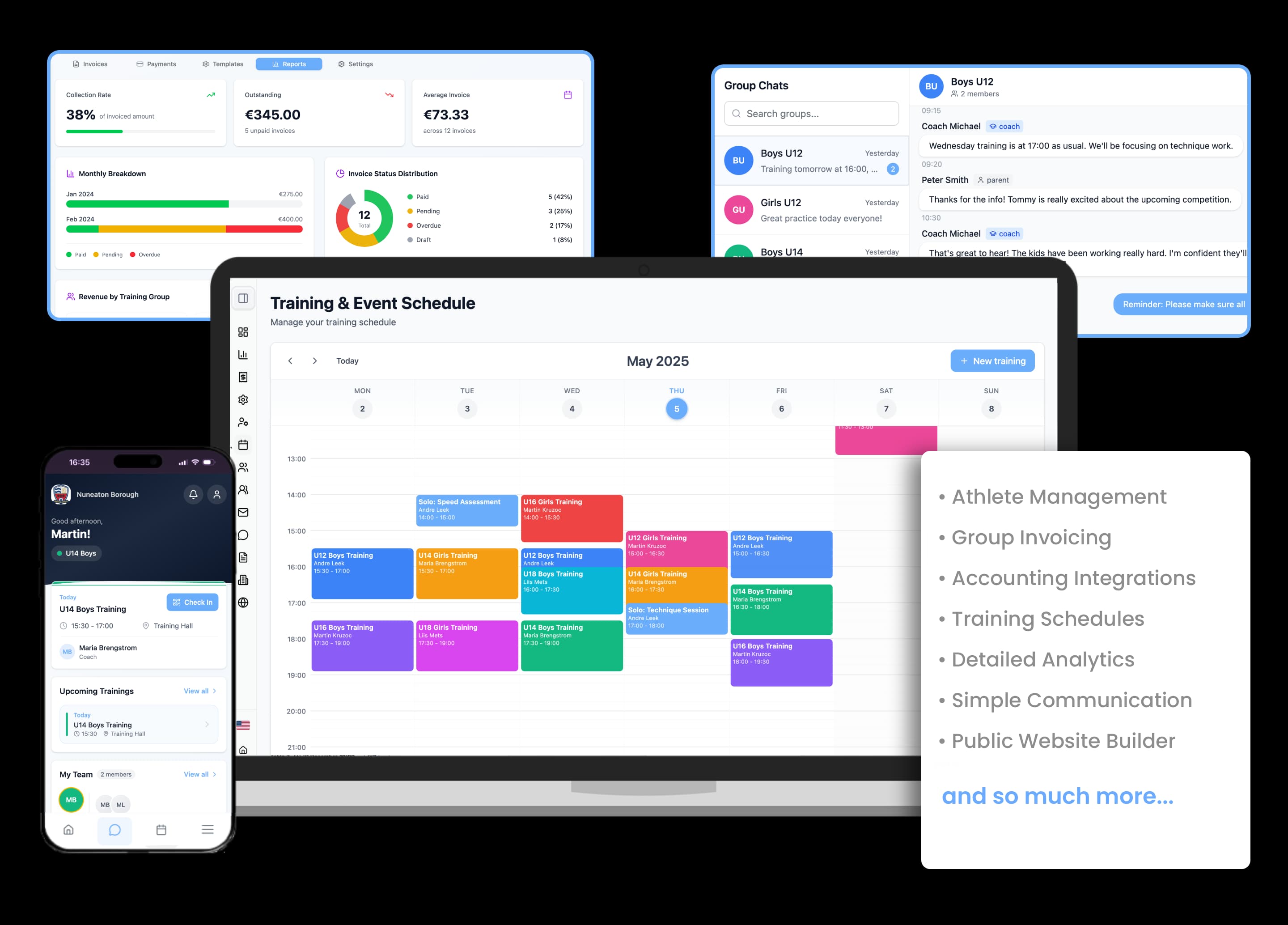
The schedule on a phone, attendance in a couple of taps
Recurring trainings, changes and cancellations in one calendar that both the coach and the parent see. Marked attendance turns into participation statistics and invoices.
14-day free trial · No credit card required

From the schedule to attendance data
Training calendar
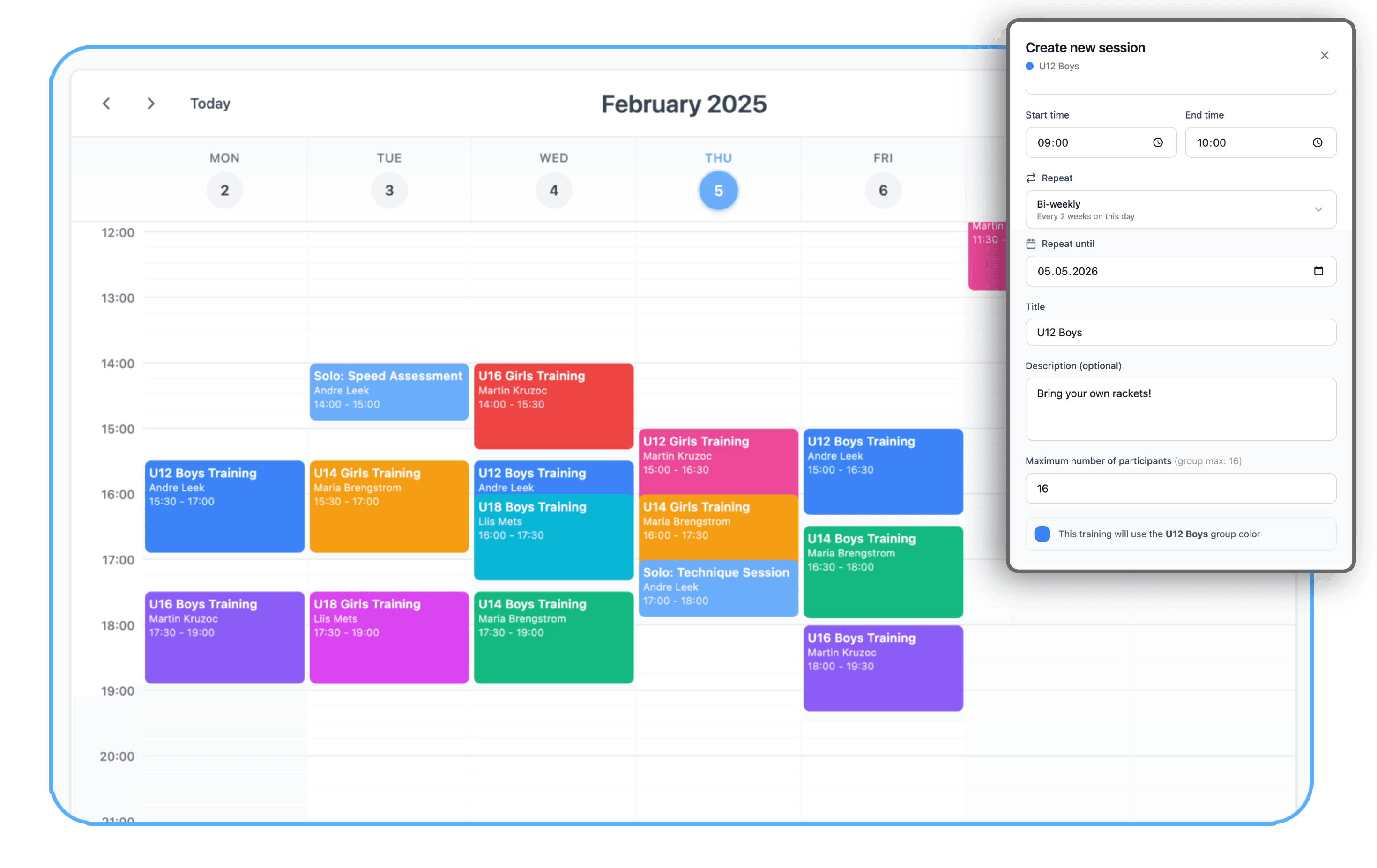
Recurring trainings, competitions, events and meetings in one calendar. A single session can carry several coaches and several groups.
Present, absent and late
The coach marks who was present, who was absent and who was late, and can add a note.
Sign-ups and invitations
An athlete can sign up for a session in advance, and you can set how many places a session has. If places are left over, an admin can invite athletes from other groups.
Notifications about changes
When a session moves or is cancelled, athletes and parents get a app notification automatically.
The schedule on your website
The same schedule shows in the app and on the web, and a widget puts it on the club's own site.
Attendance statistics
Participation by group and by athlete over time: who shows up, who is drifting away, and where a group needs attention.
This is what the schedule looks like in Klubio
A week view where each group has its own colour and every session shows its coach and time. Beside it, adding a new session with its recurrence and a cap on places.
Attendance becomes the club's most valuable data
Marking attendance feels like a small thing, until you realise billing, parent trust and the picture of training load all depend on it.
A schedule that stays true
You enter recurring sessions once and make changes in a couple of clicks. Each session gets a venue, such as a hall or a pitch, and several coaches where needed. The same schedule shows in the app, on the web and through the widget on the club's own site, so no extra versions appear.
Marking takes seconds
The coach opens their group's list in the app and marks who was present, who was absent and who was late. It can be done afterwards too, when there was no time during the session. A note can be added for any athlete. Training sessions, competitions and camps can be told apart in billing, so only the right events reach the invoice.
Data that works for the club
The markings produce participation statistics by group and by child, and Klubio builds the attendance-based invoices itself. A child whose attendance is falling stands out before the family quietly leaves. This is a retention tool, not just a table.
An ordinary week in a gymnastics club
Four coaches, twelve groups, two halls:
- On Monday the hall schedule shifts: the coach moves the session and 64 families get a app notification.
- At the start of every session the coach marks attendance in about 20 seconds.
- At month-end Klubio builds the recreational group's invoices by sessions attended: 6 euros a session, capped at 50 euros a month.
- The manager notices one group's attendance has fallen from 85% to 60% in a month, and gets in touch with the families.
The same markings that used to live in a coach's notebook now drive billing and communication, and keep members from slipping away.
How it works
Build the schedule
Enter the recurring sessions group by group, then set the coaches and the venue.
The coach marks attendance
In the app, right at the start of the session or afterwards.
Statistics and billing follow
Participation statistics and attendance-based invoices come out of that marking automatically.
Frequently asked questions
Do parents see the schedule?
Yes. The schedule is visible in the Klubio app and on the web, and changes arrive as app notifications.
Can the schedule go on our club website?
Yes. The Klubio schedule widget can be embedded on any website, and it updates there automatically.
Can we bill by sessions attended?
Yes. Attendance-based billing is built in: attendance marked by the coach flows straight onto the monthly invoice.
Can an athlete sign up for a session in advance?
Yes. A session can take sign-ups and, if you want, a cap on places, for example when the hall is smaller than the group. If the club bills by sessions attended, you choose whether the sign-up or the coach's attendance marking is what counts.
Does every coach get their own view?
Yes. A coach sees their own groups' schedules and rosters and can mark attendance, without admin rights.
Other features
- InvoicingAutomated membership invoices, reference numbers, bank statement import and a debtor overview.
- Accounting integrationTwo-way sync with Merit Aktiva, Excellent Books, SmartAccounts and SimpleBooks. Invoices and payments move on their own.
- Members & groupsYour whole membership, training groups, applications and contracts in one database.
- App for parents & athletesSchedules, invoices and notifications in the iOS and Android app, with the whole family on one account.
- Public club websiteA public club page, registration forms and a schedule widget for your own website.
Run your club the smarter way.
Join clubs who've ditched the spreadsheets and brought their operations into one modern platform.